SCADA software features: what to do and what to check before choosing
Sielco Sistemi —
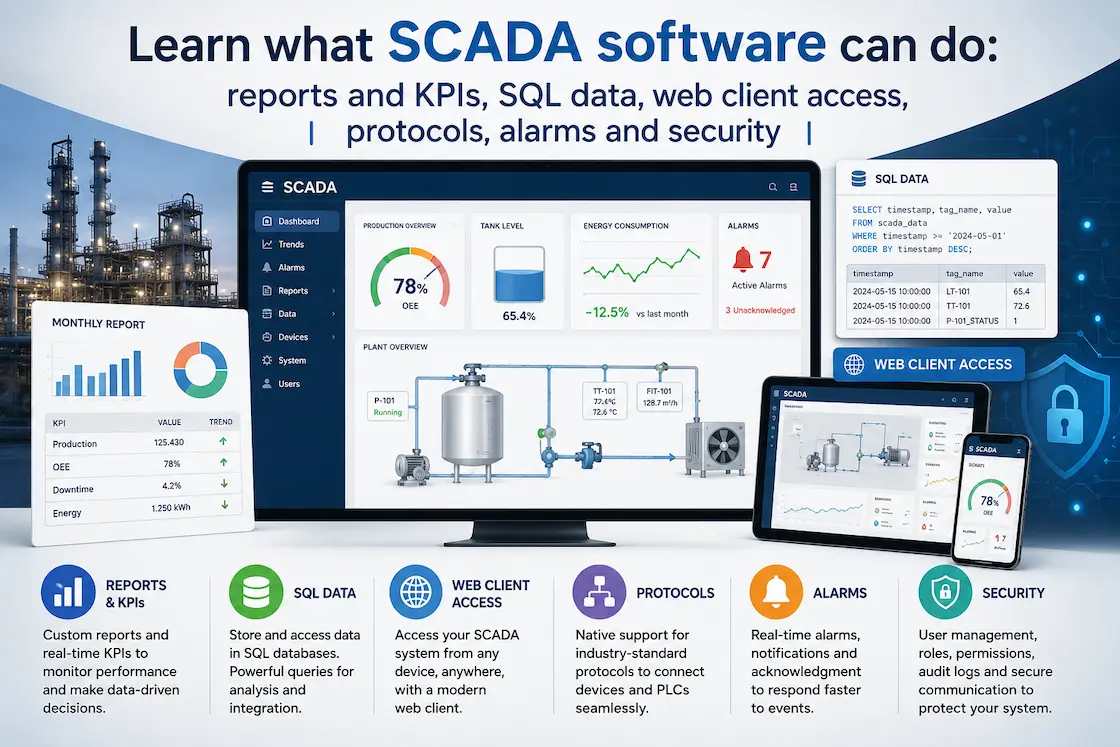
Choosing a SCADA software platform is not just about ticking a box next to “supervision and control.” It’s about understanding which features actually matter for your plant, your data, and your team — and which ones are marketing fluff. A modern SCADA/HMI system has to do far more than draw a mimic diagram on a screen: it has to collect data, generate reports, talk to aSQL database, expose a web client, manage alarms, and keep the whole system secure.
This guide walks through the core features you should evaluate before choosing a SCADA platform, using Winlog Evo — a SCADA/HMI package developed by Sielco Sistemi for Industry 4.0 applications — as a concrete reference point. Whether you are a system integrator, a plant manager, or an OT engineer evaluating vendors, the same checklist applies: what can the software actually do, and how well does it do it?
All SCADA software features (supervision, control, data)
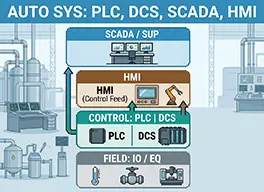
At its core, every SCADA software package must deliver three fundamental capabilities: supervision, control, and data management. These are the pillars that separate a real industrial SCADA/HMI from a simple dashboard tool.
Supervision means giving operators a real-time, graphical view of the plant. This includes synoptic screens, animated objects (pumps, valves, tanks, motors), color-coded status indicators, and trend graphs that show how variables evolve over time. Good SCADA platforms let you display several trends simultaneously — Winlog Evo, for instance, can show up to ten trend curves at once, each with its own color and scale, which is essential when correlating multiple process variables during a fault investigation.
Control is the ability to act on the field, not just observe it. This means writing setpoints, starting or stopping equipment, managing recipes, and — critically — supporting bidirectional communication protocols. A serious SCADA platform needs broad driver coverage: Siemens, Omron, Allen-Bradley, Modbus RTU/TCP, KNX, BACnet, and standardized interfaces like OPC DA and OPC UA (both client and server side). This last point deserves attention: OPC UA server support allows the SCADA to expose its own data upward to MES and ERP systems, turning the SCADA layer into a genuine integration hub rather than an isolated island.
Data management covers everything related to acquiring, storing, and structuring process data. This includes:
- Historical data logging (the “datalogger” function), which records tag values into internal or external databases for later analysis.
- Process recipe management, useful in batch or multi-product manufacturing environments.
- Alarm and event management, with configurable thresholds, acknowledgement workflows, and audit trails — a feature that is not optional in regulated or safety-critical industries.
- Security and access control, including user profiles, password policies, and, in advanced platforms, encrypted remote access (Winlog Evo’s SecureBridge function, for example, allows an authorized remote user to operate directly on the PLC connected to the SCADA, without exposing the network).
- Distributed architectures, where multiple SCADA stations installed on remote sites communicate over TCP/IP, supporting multi-master read/write structures across an Intranet or the Internet.
When comparing platforms, don’t just ask “does it support supervision and control” — ask how deep each feature goes: how many protocols, how many simultaneous users, how granular the alarm management, and how flexible the security model. These details are what separate a platform that scales with your plant from one you’ll outgrow in two years.
Reports, KPIs and analytics (including SQL integration)
Collecting data is only half the job — the other half is turning that data into reports, KPIs, and decisions. This is often where SCADA platforms diverge the most in maturity.
A solid reporting engine should let you generate automatic reports in standard formats such as PDF and CSV, scheduled at fixed intervals (shift reports, daily production summaries, monthly energy consumption) or triggered on demand. Winlog Evo, for example, natively supports report generation in both PDF and CSV, which makes it straightforward to distribute production summaries to management or feed data into external analysis tools without manual reformatting.
But the feature that really separates entry-level HMIs from industrial-grade SCADA platforms is native SQL integration. Being able to connect directly to an external DBMS — MySQL and other ODBC-accessible databases — means:
- Process data can be stored in a structured, queryable format rather than proprietary log files.
- KPIs (OEE, downtime, energy consumption per unit produced, cycle times) can be calculated by querying historical tables directly, using standard SQL tools or BI dashboards like Power BI or Grafana.
- Data becomes accessible to other software layers — MES, ERP, or custom applications — through the same database, avoiding data silos.
- Engineers can build custom analytics on top of raw data without depending on the SCADA vendor’s built-in reporting limitations.
Winlog Evo’s datalogger function is built exactly around this principle: it interfaces with external databases via ODBC to record data tables, and it also allows direct data access through API, so that reports and KPIs are not locked inside the SCADA runtime. This is a crucial evaluation criterion — some SCADA products only offer closed, proprietary historians that require expensive add-ons to export data. A platform with open SQL access gives you long-term flexibility: you can change your reporting tool, your BI dashboard, or your analytics pipeline without touching the SCADA configuration itself.
When you evaluate reporting and analytics capabilities, check these points specifically:
- Which database engines are supported natively (MySQL, SQL Server, PostgreSQL via ODBC)?
- Can reports be scheduled automatically, and in which formats?
- Is historical data accessible via API, not just through the SCADA’s own viewer?
- Can KPIs be calculated on the fly, or only through manual export?
- Is data structured for BI tools, or does it require transformation before use?
Getting this right early avoids a very common and expensive mistake: choosing a SCADA platform for its graphics and protocol coverage, only to discover a year later that extracting meaningful KPIs from historical data requires custom scripting or a costly middleware layer.
Web client access, protocols, alarms and security
Beyond supervision and reporting, modern plants increasingly need remote access. A web client allows operators, managers, or maintenance teams to view and interact with the SCADA application from a standard browser, without installing dedicated software on every workstation. Winlog Evo supports this through a Web Server architecture, offering a Web Client solution for desktop browsers via HTML5 and a Smart Client solution for smartphones and tablets on iOS or Android — enabling the same synoptic screens, trends, and alarms to be accessed securely from anywhere on the network or the Internet.
Combined with broad protocol support, robust alarm management, and layered security (user authentication, encrypted remote access, watchdog processes that keep the application running independently of the main process), these features complete the picture of what a production-ready SCADA platform should offer.
Before choosing a SCADA software, build your own checklist based on these four pillars — supervision/control, reporting/SQL, web access, and security — and test each one against a real use case in your plant, not just a vendor demo.
FAQ
- What is SCADA software and what is it used for?
- SCADA software is a platform used to supervise, control and collect data from industrial or building automation systems in real time. It lets operators visualize plant status through graphic synoptics, act on field equipment, and record historical data for analysis. Platforms like Winlog Evo combine these functions with reporting, database connectivity and remote access.
- What are the main features every SCADA software should have?
- A complete SCADA platform should cover supervision (real-time graphics and trends), control (bidirectional protocols to write setpoints and manage recipes), and data management (historical logging, alarm handling, security and access control). It should also support distributed architectures so multiple stations can communicate over a network.
- Can SCADA software connect directly to a SQL database?
- Yes, advanced SCADA platforms support direct connectivity to external databases such as MySQL via ODBC. Winlog Evo’’s datalogger function records process data into structured tables and also allows direct data access through API, so KPIs and reports can be built with standard SQL tools or BI dashboards instead of being locked into a proprietary historian.
- What is a SCADA web client and how does it work?
- A SCADA web client lets operators access the supervisory application from a standard browser, without installing dedicated software. Winlog Evo offers a Web Client for HTML5 desktop browsers and a Smart Client for smartphones and tablets on iOS or Android, giving secure access to the same synoptics, trends and alarms from anywhere on the network or the internet.
- Which communication protocols does SCADA software support?
- A robust SCADA platform supports the most common industrial protocols, including Siemens, Omron, Allen-Bradley, Modbus RTU/TCP, KNX and BACnet, plus standardized interfaces such as OPC DA and OPC UA in both client and server mode. OPC UA Server support is especially important because it lets the SCADA expose data upward to MES and ERP systems.
- How does SCADA software manage alarms and security?
- SCADA software manages alarms through configurable thresholds, acknowledgement workflows and historical traceability, which is essential in regulated or safety-critical environments. On the security side, it should provide user profiles, password policies and encrypted remote access; Winlog Evo’’s SecureBridge function, for example, lets an authorized remote user operate directly on the connected PLC without exposing the network.
- What kind of reports and KPIs can SCADA software generate?
- SCADA software can generate automatic reports in standard formats such as PDF and CSV, scheduled at fixed intervals or on demand, covering shift summaries, daily production data or monthly energy consumption. With SQL database integration, it can also support calculated KPIs like OEE, downtime and cycle times, queried directly from historical tables using standard SQL tools or BI dashboards such as Power BI or Grafana.